ONLINE AUDIO TESTS & TOOLS
Superaudion: Online Sound Test, Microphone Test & Tone Generator
Sound, microphone and tone checks in your browser.
Browser-based audio tools in Spanish
Superaudion is a Spanish-language audio toolkit developed by Ritkey for everyday speaker, headphone and microphone checks. Its three tools bring sound playback, voice input and reference tone generation into a guided browser experience without an account or software installation.
Each tool connects a short practical test with instructions for interpreting what the user observes. Visitors can move from checking whether sound plays to isolating a stereo channel, testing microphone input or trying a specific reference frequency.
Online sound test for speakers, headphones and stereo channels
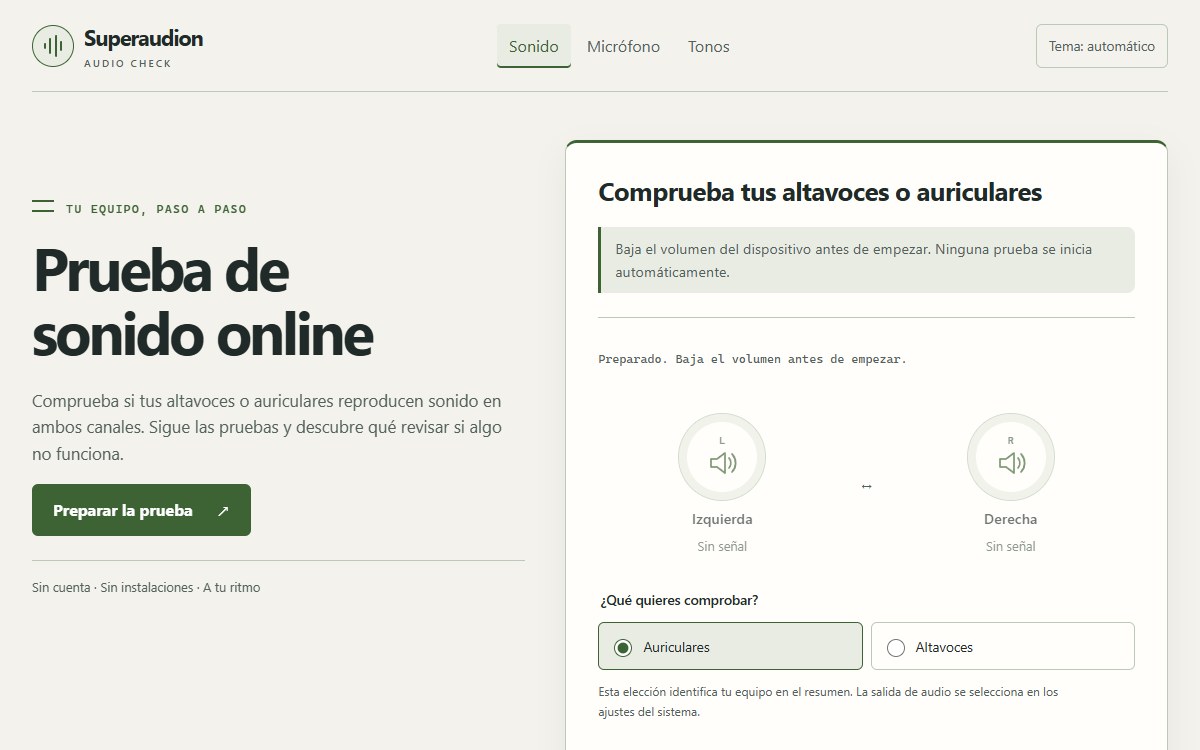
The Superaudion online sound test, presented in Spanish as prueba de sonido online, guides users through central playback and separate left and right channel checks. It asks what they actually hear and uses those answers to suggest relevant checks.
The workflow helps users investigate missing sound, sound from only one side or an unexpected channel position. Supporting explanations cover the selected output device, volume, connections and mono audio settings. Users can download a summary of their observations and completed checks.
Online microphone test with short recording playback
The online microphone test — prueba de micrófono starts only after the user requests microphone access. An input meter shows relative signal activity, and supported browsers can record a sample of up to ten seconds for subsequent playback.
Listening to the sample lets the user assess whether their voice is audible, quiet or interrupted. The page provides checks for browser permissions, input selection and connection problems. Audio is processed in the browser, and the sample stays in page memory without being uploaded to a server.
Online tone generator with frequency and waveform controls
The online tone generator — generador de tonos creates short reference signals with selectable frequencies from 100 to 5000 Hz. Users can choose sine, triangle, square or sawtooth waves and compare how the generated signal sounds on their selected output device.
The tool begins with a 440 Hz sine wave and offers familiar frequency presets alongside adjustable controls. Playback starts on request, with a low-volume reminder and a stop control. The page explains frequency, waveform differences and the limits of what a browser-generated tone can establish.
Guided checks with clear results and limits
Superaudion keeps playback tests separate from microphone input so users can investigate each part of their audio setup in sequence. Instructions remain readable without JavaScript, while interactive audio controls use the browser's capabilities.
The results reflect the user's answers and available signals. They do not certify hardware quality, calibrate speakers or evaluate hearing. This focused approach gives Spanish-speaking visitors a practical starting point for audio troubleshooting before a call, recording session or further device checks.