WORK HOURS & BREAKS
Easy Time Planner: Time Card Calculator for Work Hours & Breaks
From clock punches to a clear time card.
A free time card calculator for personal work records
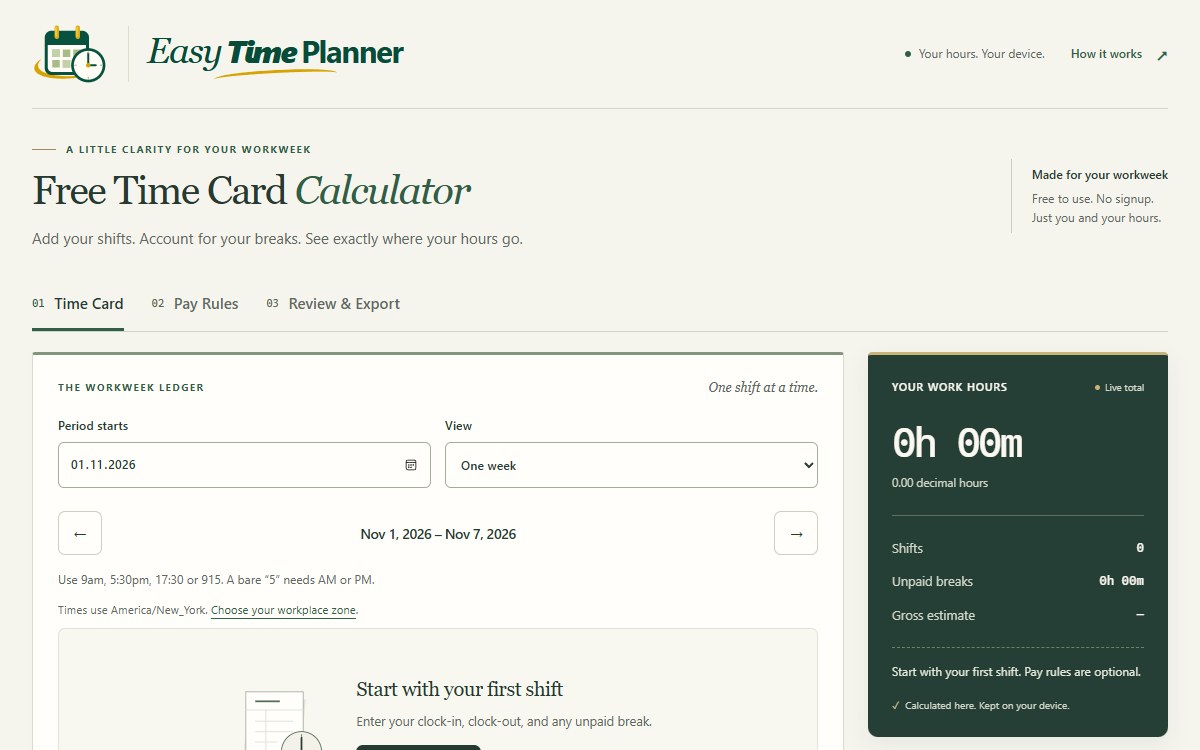
Easy Time Planner is an English-language browser tool developed by Ritkey for people who want to understand their recorded shifts. It turns clock-in and clock-out times into work-hour totals, separates unpaid lunch from paid breaks, and provides a time card that can be reviewed, printed or exported without creating an account.
The workflow follows three stages: Time Card for entering shifts, Pay Rules for an optional gross estimate, and Review & Export for checking and saving the result. It suits individuals keeping their own hours or comparing personal records with a timesheet, rather than managing an employee roster.
Weekly and biweekly hours with explicit break handling
Users can choose one week, two weeks or a custom date range, enter times in AM/PM or 24-hour format, and copy a completed shift to empty weekdays before adjusting exceptions. Separate shift entries accommodate split shifts. An overnight shift has an explicit next-day setting, so the end date does not have to be guessed from the clock time.
No lunch break is deducted automatically. Users enter the actual breaks and classify them as unpaid, paid rest or worked time. Totals appear in hours and minutes alongside decimal hours, with whole minutes used before display rounding. The time card instructions and examples explain how to enter a shift and carry it through to a saved report.
A workplace time zone gives the clock punches their context. New cards start with New York as an initial default, which users should replace with their actual workplace zone. Missing or repeated local times around daylight-saving changes require clarification instead of silently producing a misleading total.
Optional gross pay estimates and paystub comparisons
Work hours can be calculated independently of pay. For users who need an estimate, Pay Rules offers custom weekly arithmetic and narrowly scoped basic models for US federal or Ontario rules when the selected location supports them. The estimate depends on the stated eligibility conditions, hourly rate and complete workweek records; it is gross pay before deductions.
The report period and the fixed overtime workweek are separate settings. Displaying two weeks together does not average away overtime between them. Partial weeks or unresolved entries can prevent an estimate, and unsupported local rules require hours-only use or user-defined arithmetic.
Review & Export can compare recorded hours with a paystub-hour figure and simulate punch rounding separately from the original records. A difference is an arithmetic finding, not proof of underpayment. The site's terms and calculation limits explain why these outputs do not establish payroll compliance or contractual entitlements.
CSV, printable reports and editable backups
Users can download a CSV for a spreadsheet, print a report or use their browser's Save as PDF option. A JSON backup preserves editable shifts and pay settings for restoration in another browser. These formats serve different needs: a readable report for review, tabular data for further work, and a backup for continuing to edit the record.
Calculations and saved entries stay in the browser, with no cloud account or automatic synchronization between devices. Clearing site data or losing access to the browser can remove local records, so exported backups matter. The browser storage and privacy explanation distinguishes private time-card entries from ordinary website request logs.
The calculator needs JavaScript for calculations and local saving; the instructions remain readable without it. Easy Time Planner is a current web calculator and is separate from the former Windows shareware that used the same name.